
Install WiseShield Extension
Follow these simple steps to install WiseShield and protect yourself from phishing attacks in real-time.
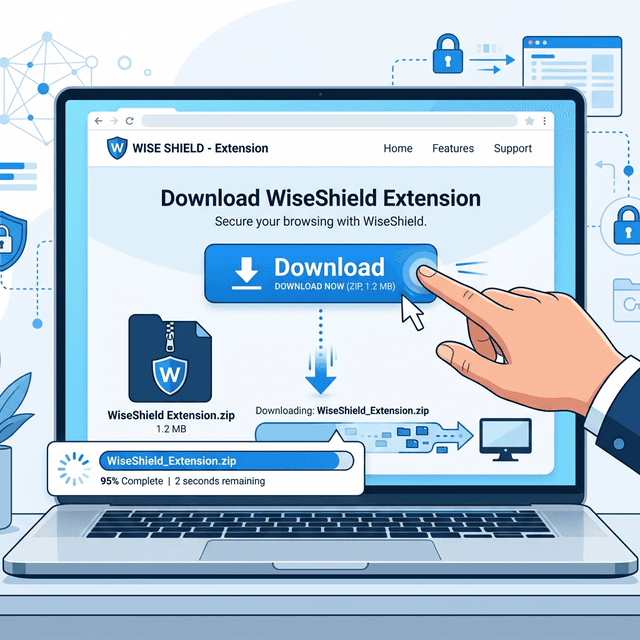
Download the Extension
Click the "Download Extension" button at the bottom of this page. A file called Wise_shield_Extension.zip will be saved to your Downloads folder.
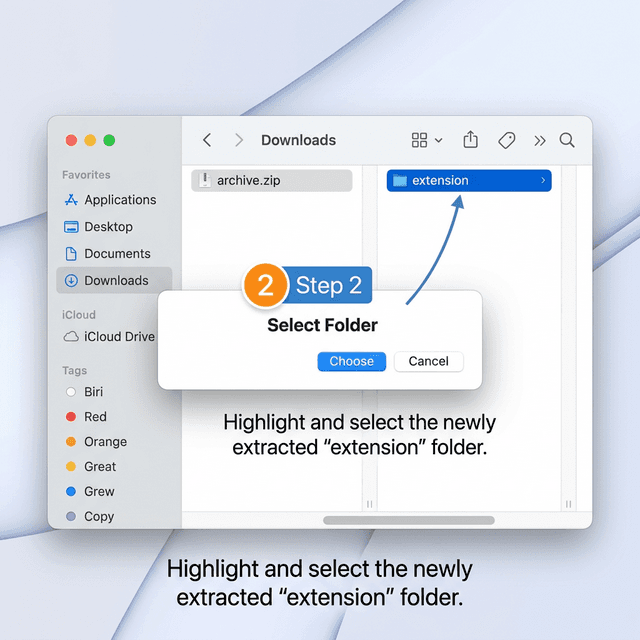
Extract the ZIP File
Find the downloaded ZIP file and extract it. On Mac: double-click the zip. On Windows: right-click → "Extract All". You should now have an "extension" folder.
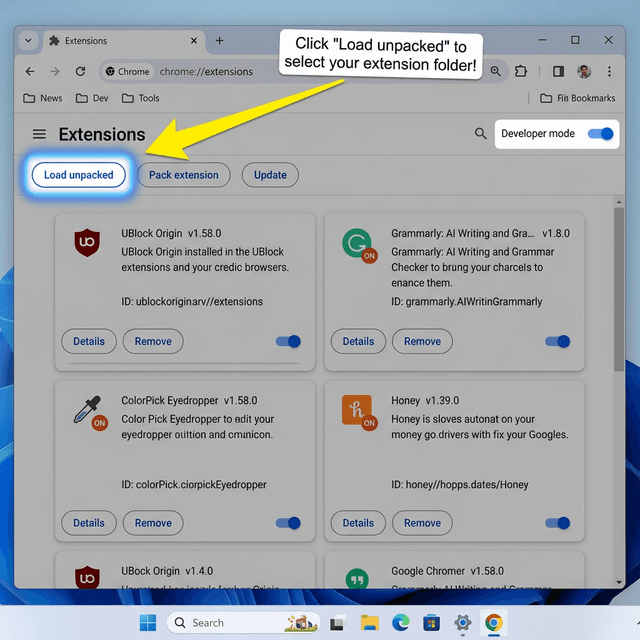
Open Chrome Extensions & Enable Developer Mode
Open Google Chrome. In the address bar, type chrome://extensions and press Enter. In the top-right corner, toggle ON "Developer mode".
Load the Extension Folder
Click "Load unpacked" (top-left). A file picker opens — navigate to the extracted folder and select the "extension" folder inside it. Click "Select Folder" / "Open".
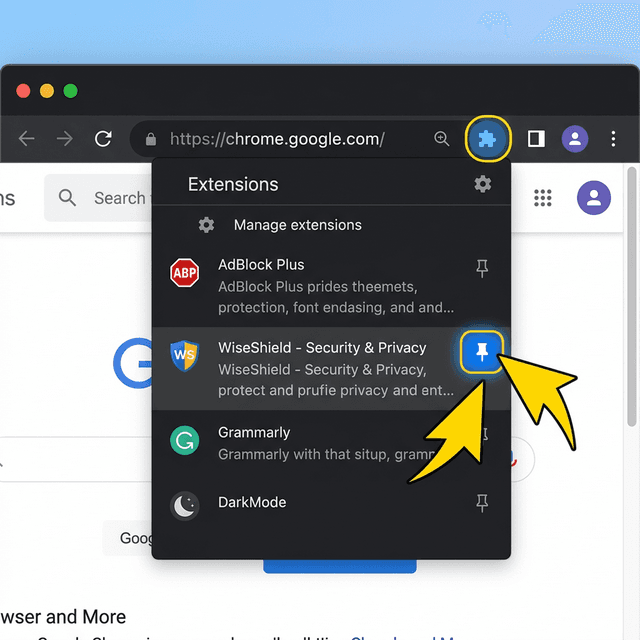
Pin WiseShield to Your Toolbar
Click the puzzle-piece 🧩 icon in your Chrome toolbar, find "WiseShield - Phishing Protection" in the list, and click the pin icon to keep it visible in your toolbar.
Chrome 88+
or any Chromium-based browser
~5MB Storage
Lightweight extension
No Account Needed
Works right after install
Ready to Stay Safe?
Download WiseShield now and get real-time phishing protection on every website you visit.
Download WiseShield ExtensionFree · No account required · ~5MB ZIP file
⚠️ Note: Since this is a manually loaded extension (not from the Chrome Web Store), Chrome may show a warning. This is normal — click "Keep" to proceed with the download.